Essential Guide to Cleaning Your Laptop Fan and Maintaining Cool Performance
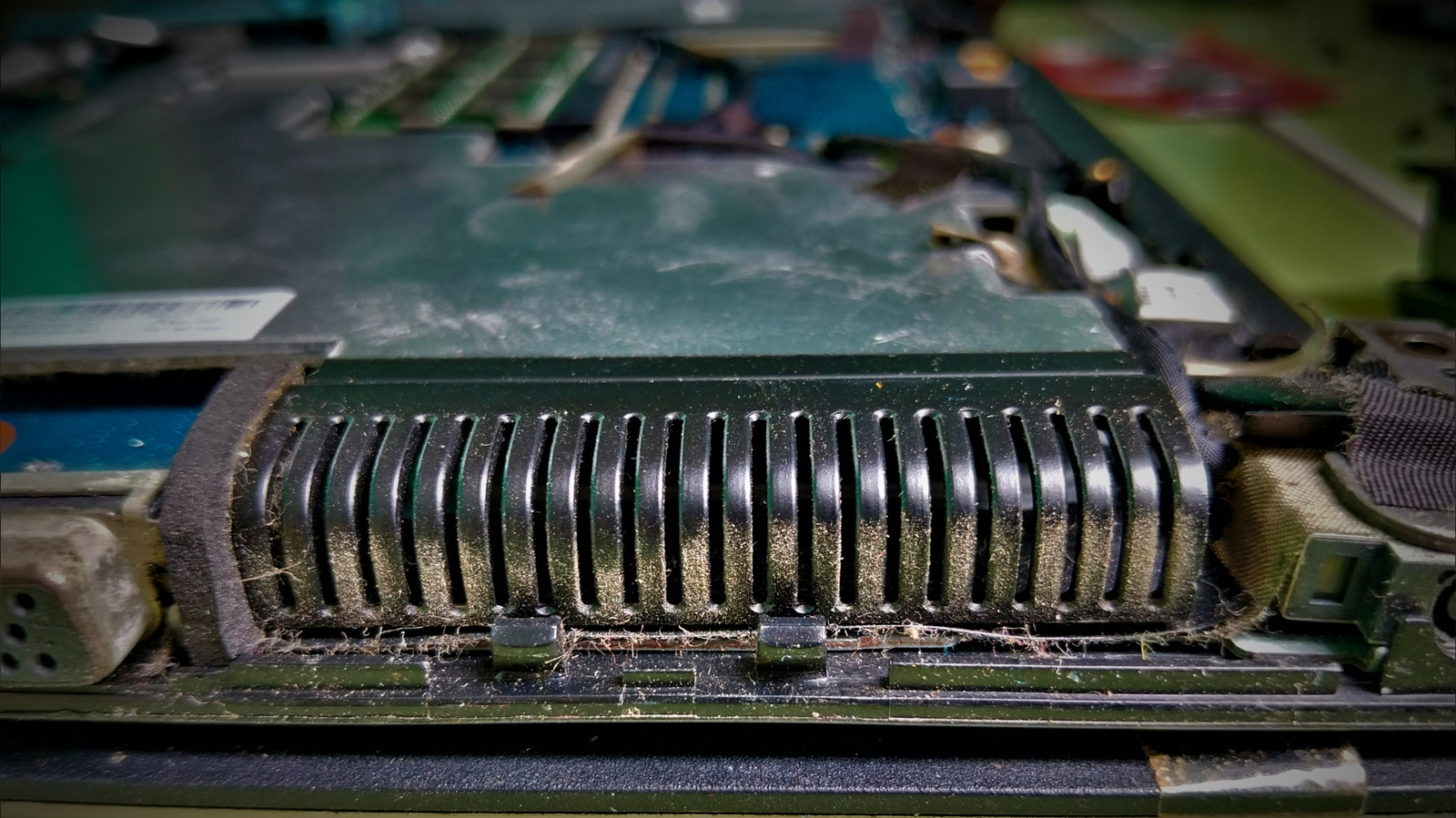
Preventing a laptop from overheating usually begins with a straightforward, often neglected task: cleaning its cooling system. Accumulated dust and debris can block the intake vents and coat the fan blades, diminishing airflow and forcing the processor to work harder, which may shorten the device’s lifespan.
The initial step is to treat the external vents before opening the case. With the laptop shut down and unplugged, a brief blast of compressed air should be aimed into each vent to dislodge loose particles. This method is safe for most models and can eliminate a large portion of the buildup without any tools.
If the airflow is still limited after the first blow‑out, the subsequent stage calls for opening the chassis. Using a compatible screwdriver, remove the bottom panel to reveal the fan assembly. At this point a deeper cleaning can be done: a second burst of compressed air clears more dust, and a soft brush can gently sweep the fan blades and the surrounding heat sink.
During the whole procedure, handle components carefully. Do not touch the fan motor or any circuitry with bare hands, as static discharge can harm sensitive parts. Many technicians advise grounding yourself or wearing an antistatic wrist strap, especially on laptops with high‑performance components.
After the fan and heat sink are free of dust, reassemble the laptop in reverse order, making sure all screws are tightened to the manufacturer’s specifications. Power the machine back on and check the temperature with built‑in diagnostics or third‑party software to verify that cooling performance has improved.
Performing regular maintenance—ideally every six to twelve months depending on the environment—helps avoid heat‑related throttling and can prolong a laptop’s useful life. By beginning with the vents and only proceeding to internal cleaning when required, users can safely keep their computers running efficiently without unnecessary risk or expense.
Comments (0)
Be the first to comment.
Join the discussion