What the Tiny Key Icon in Android’s Status Bar Actually Indicates
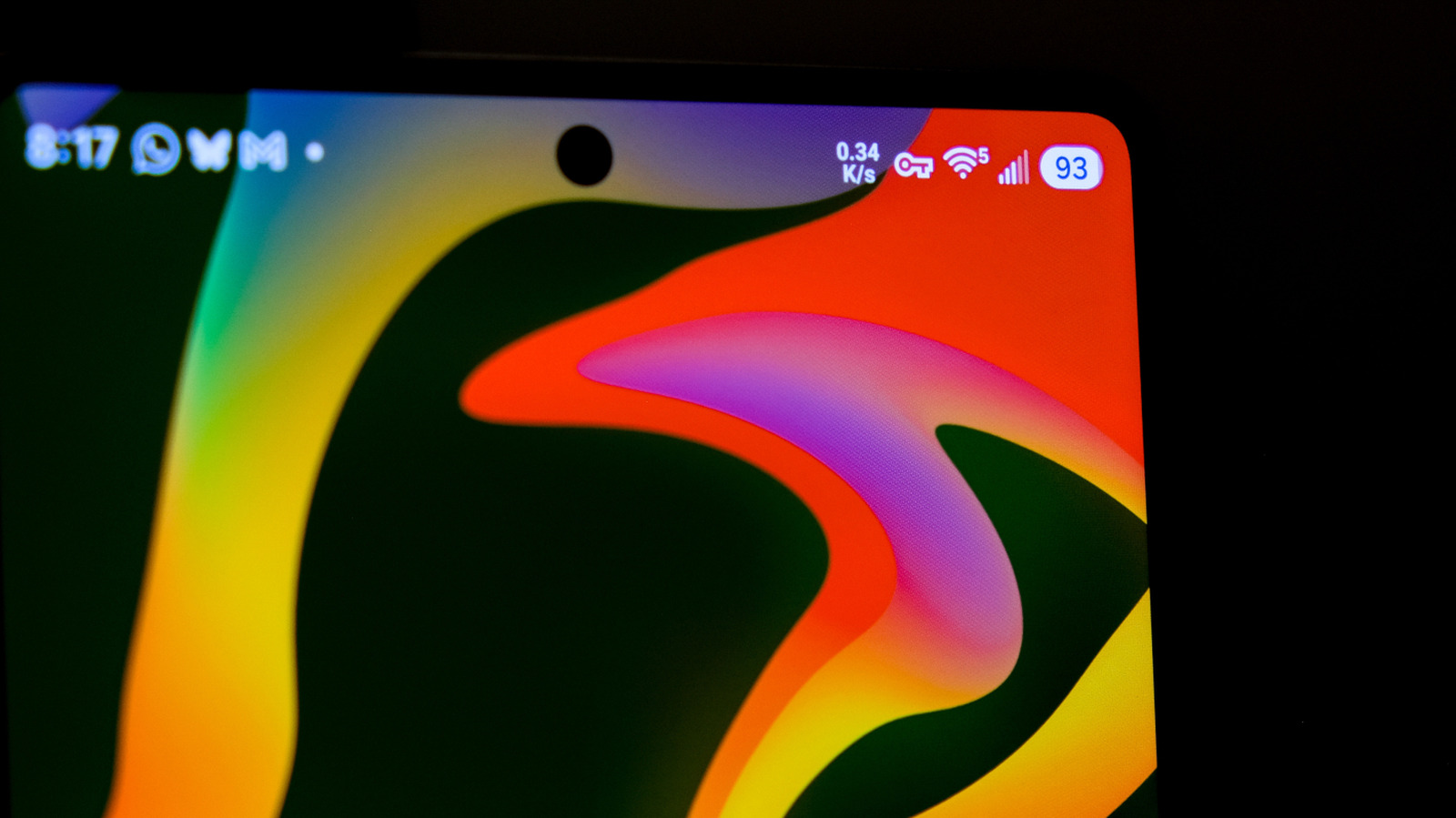
Android users might have spotted a tiny key icon in the upper‑right corner of their display and wondered about its purpose. Unlike the more prominent Wi‑Fi or battery indicators, this key subtly signals that a virtual private network (VPN) connection is active on the device.
The symbol shows up whenever a VPN client—be it Android’s native service, a third‑party application, or a corporate‑managed profile—has successfully created an encrypted tunnel for outgoing traffic. With the tunnel in place, Android swaps the usual network‑status icons for the key to remind users that their data is passing through an extra security layer.
Tapping the key takes you to Android’s VPN settings, where the active service’s name, the data it’s handling, and options to disconnect or change networks are displayed. On many phones, a long‑press jumps straight to the system’s VPN configuration screen, enabling rapid toggling without navigating through several menus.
Having a VPN can influence performance, battery usage, and data consumption, which is why the status‑bar cue matters. A corporate‑issued VPN, for instance, may be required to reach internal resources, while a consumer‑focused app might be used for streaming or privacy. Noticing the icon helps users understand why a connection feels slower or why certain apps behave differently.
As Android evolves, the visual language of the status bar will likely be refined. Future versions might replace the key with a more descriptive graphic or add contextual labels, but the core function—alerting users to encrypted network activity—will stay crucial for transparency and security awareness.



Comments (0)
Be the first to comment.
Join the discussion