Apple Watch Theater Mode: How to Silence Your Wrist Without Going Completely Silent
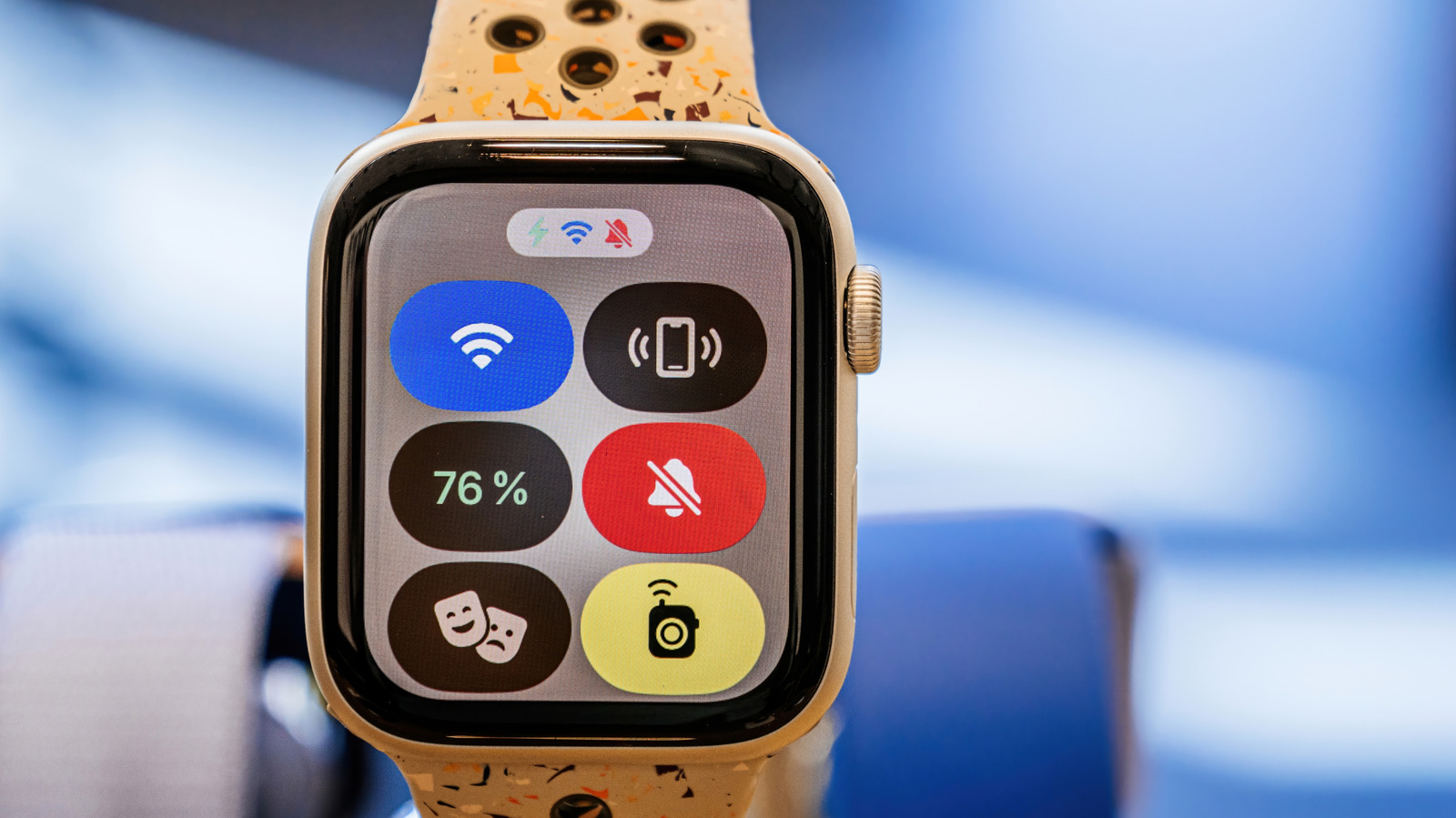
Apple Watch users now gain a middle‑ground mute option called Theater Mode. Intended for moments when a full Do Not Disturb mode is too much, it prevents notifications from illuminating the display yet still lets haptic alerts vibrate on the wrist.
To turn on Theater Mode, swipe it on in the Control Center; the watch then keeps its screen black until the wrist is raised. Calls, texts and app notices stay silent, but the gentle tap that marks a new alert still reaches the wearer, maintaining awareness without a visual cue.
The feature occupies a middle ground between the broader Do Not Disturb option and the plain Silent mode. Do Not Disturb silences both audio and haptics, whereas Silent only silences the speaker; Theater Mode, however, focuses solely on the visual aspect. This nuance is valuable for people who must remain discreet yet alert, like during a presentation or a live show.
There are many practical uses. In a dark theater, a sudden screen flash can disturb both the watcher and nearby audience members; Theater Mode stops the flash while still vibrating for urgent alerts. Similarly, meeting attendees can dodge the glare of a lit display yet still sense a crucial tap. The mode is also useful for nighttime reading or meditation, when visual interruptions are unwelcome but total isolation isn’t required.
Apple hasn't signaled any near‑term plans to broaden Theater Mode, yet the feature fits the firm's wider drive toward context‑aware wearables. Users may pair it with current focus settings for a more customized experience, and upcoming watchOS releases could add bespoke vibration patterns or third‑party app integration. At present, the mode provides a handy middle ground for anyone wanting a quieter wrist while staying connected to their digital world.



Comments (0)
Be the first to comment.
Join the discussion